
The UID of the account you are logged into can be checked in the in-game settings.
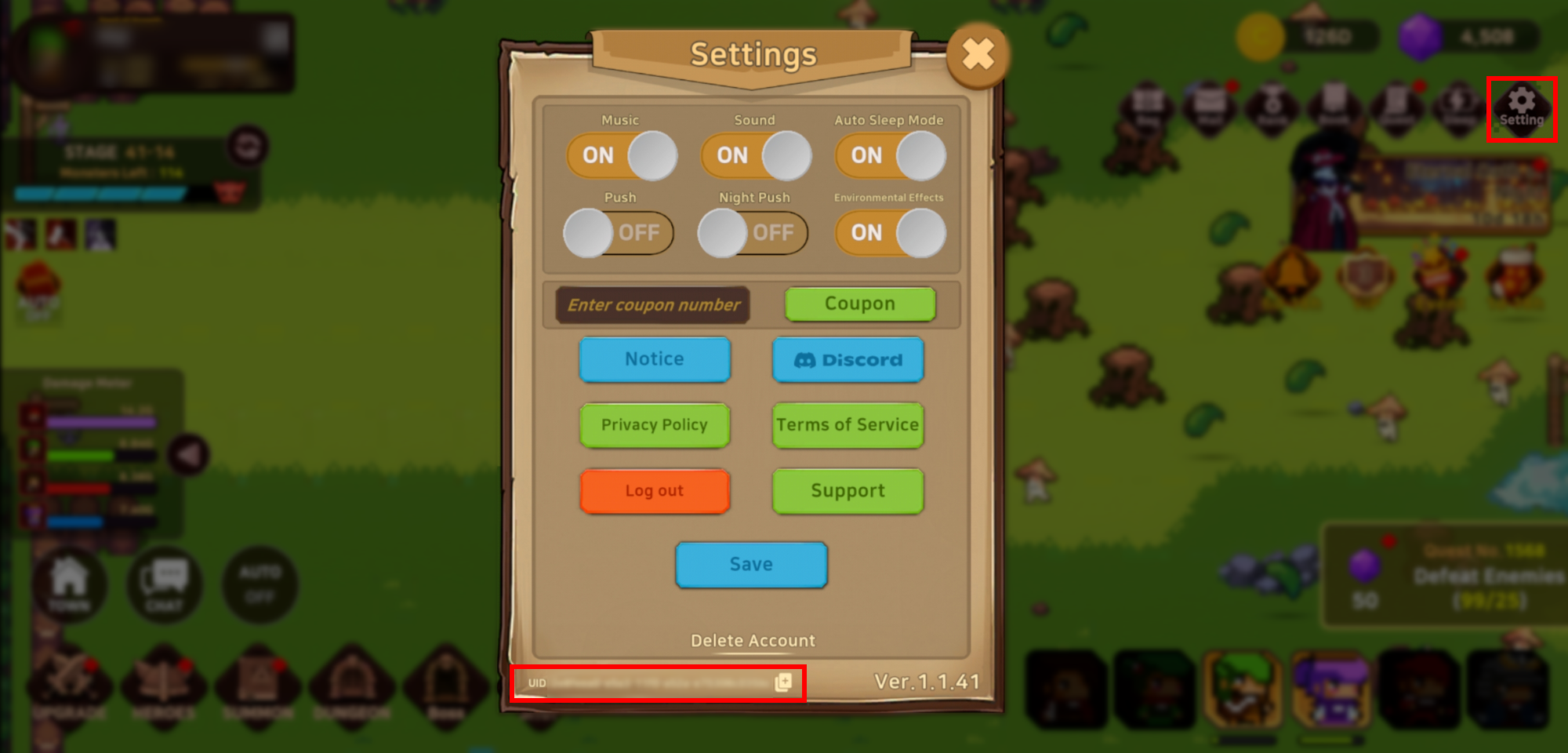
■ How to Check Your UID
1. Tap the [Settings] button at the top-right of the game screen
2. Check the UID section at the bottom of the Settings screen
3. Tap the [Copy] button next to the UID and paste it where required